
Download SSuite Spell Checker – spell checker, grammar checker, text correction, document review, writing tool, multilingual, free spell check
Overview
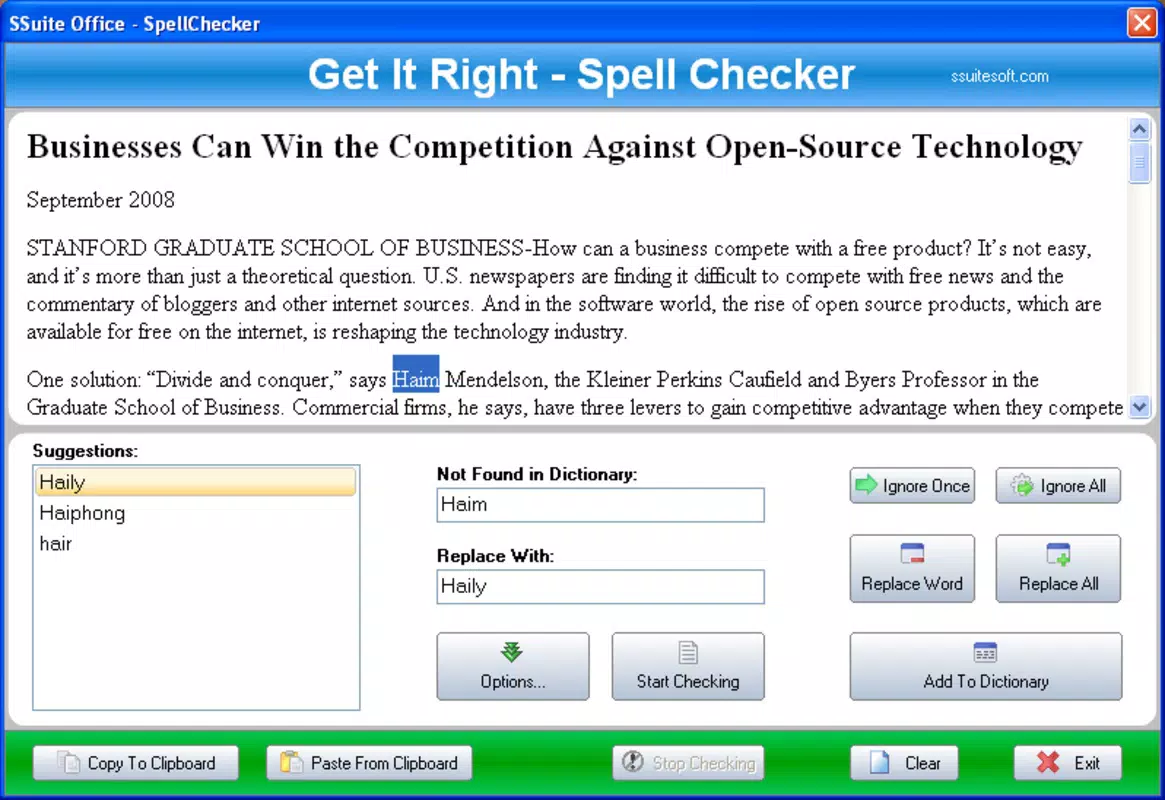
SSuite Spell Checker is a dedicated mobile utility designed to help users identify and correct spelling errors in written content. The app serves as a reliable tool for individuals who rely on accurate written communication, such as students preparing essays, professionals drafting reports, or job seekers refining resumes. By allowing users to paste text directly into the app, it enables immediate analysis, ensuring documents are polished before submission or sharing. The application focuses on precision, offering a streamlined solution for catching typographical mistakes that might otherwise go unnoticed.
Targeted at users seeking a lightweight yet effective writing aid, SSuite Spell Checker fills a niche in the productivity app ecosystem by emphasizing accuracy and ease of use. The developer, SSuite, positions the app as a dependable alternative to built-in spell checkers, particularly for those who require multilingual support. While specific details about the company’s background are not provided, the app’s functionality suggests a focus on practical, no-frills tools for everyday writing tasks. Real-world use cases include proofreading academic papers, reviewing business emails, or verifying content for social media posts where clarity and correctness are essential.
Given its free pricing model and minimal file size, the app is accessible to a broad audience, especially those using devices with limited storage. The emphasis on contextual text analysis indicates a move beyond basic word verification, aiming to deliver smarter corrections. In a digital landscape where written communication is increasingly vital, having a dedicated, reliable spell checker can significantly enhance confidence and professionalism in content creation.
Key Features & Functionality
- Comprehensive Spell Checking: The app performs a detailed review of each word within the provided text, analyzing both spelling and contextual relevance. This ensures that not only are misspelled words flagged, but also potential misuse of homophones or incorrect word choices in context.
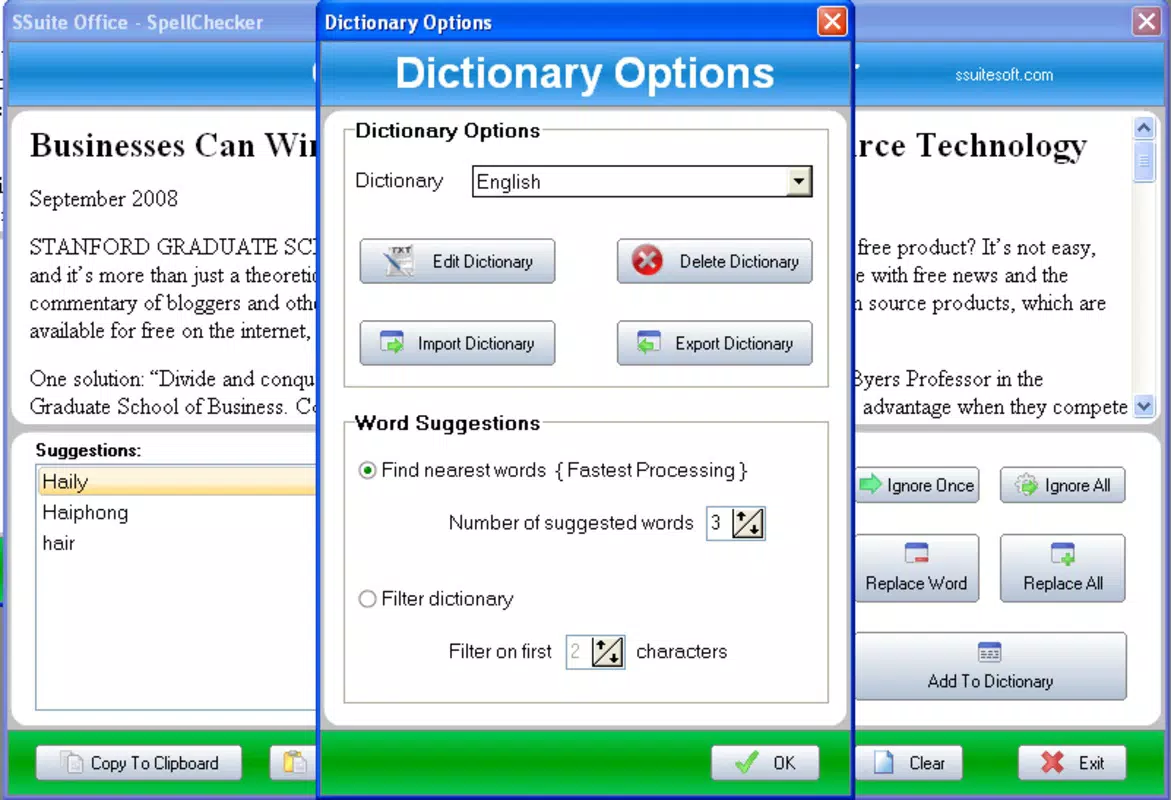
- Expandable Dictionaries: With a growing library of words, users can extend the app’s vocabulary base. This feature is particularly useful for technical, academic, or industry-specific terminology that may not be included in standard dictionaries.
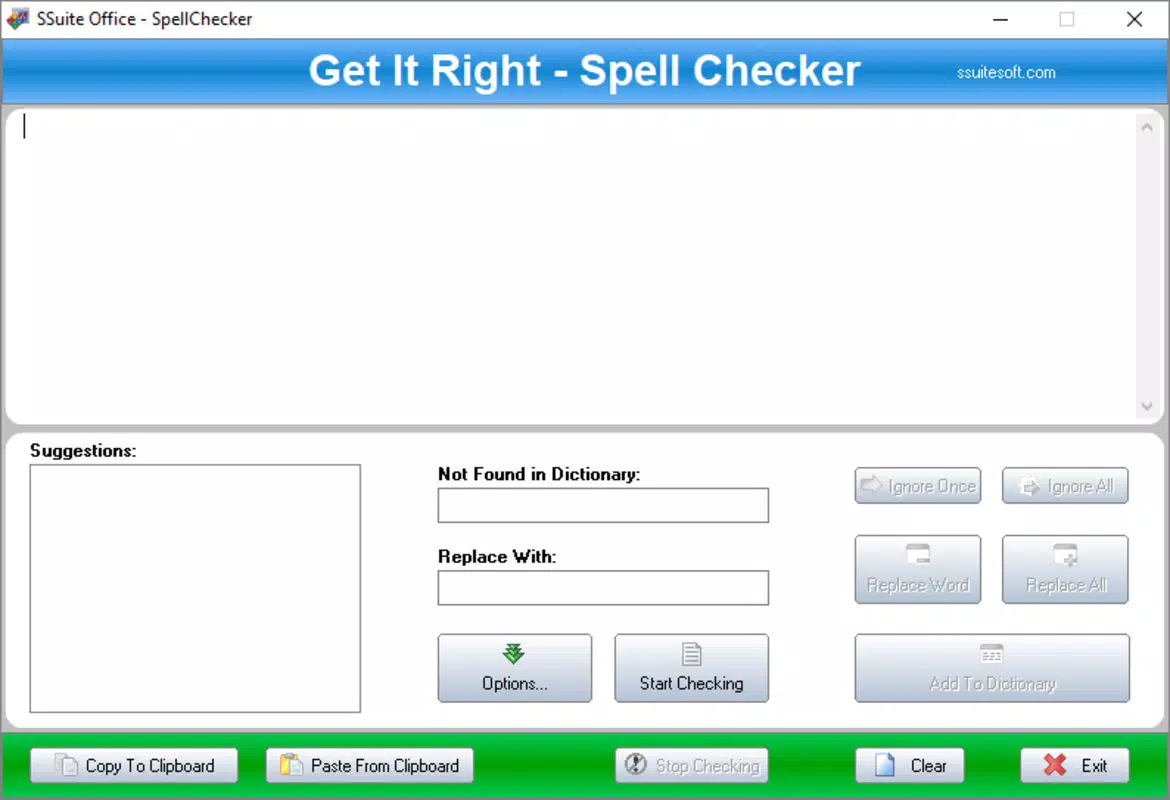
- User-Friendly Interface: Designed with simplicity in mind, the interface allows users to paste text with minimal steps. A single tap initiates the full analysis, making the process accessible even to non-technical users.
- Multilingual Support: The app supports up to eight languages, enabling users to check documents written in different linguistic contexts. This versatility makes it a valuable asset for bilingual or multilingual writers.
- Contextual Text Analysis: Beyond identifying spelling errors, the app evaluates how words function within sentences. This deeper layer of analysis helps maintain coherence and appropriateness, improving the overall quality of written output.
For example, a student writing a research paper in English while referencing French terms can use the app to verify spelling across both languages. Similarly, a professional drafting a multilingual email can paste the entire message and receive instant feedback on spelling accuracy and contextual fit. The ability to analyze text in context ensures that corrections are not only grammatically sound but also semantically appropriate.
Interface, UX & Performance
The user interface of SSuite Spell Checker is designed with minimalism and functionality in mind. The layout is clean, with a central text input area and a prominent “Check” button, ensuring users can quickly begin the spell-checking process. Navigation is intuitive, requiring no onboarding or complex setup. The visual style prioritizes readability, with clear text highlighting and distinct error indicators, making it easy to identify and correct mistakes.
Although the developer did not list formal performance metrics, the app’s small file size of 1.5 MB suggests optimized resource usage. This implies efficient memory and processing demands, which is beneficial for older or lower-end Android devices. The app appears to respond promptly to text input, with analysis completing in a matter of seconds, even for moderately long documents. Stability during operation is expected to be high, given the app’s lightweight nature and singular focus on spell checking.
Responsiveness across different screen sizes and device categories is not explicitly detailed. However, the simple interface layout is likely to adapt well to various form factors. Users can expect consistent behavior whether using a smartphone or tablet. The app does not appear to include animations or heavy graphics, which further supports smooth performance and reduced battery consumption.
Platform Compatibility & Technical Requirements
SSuite Spell Checker is available on the Android platform. The current version is 1.1.1, with a file size of 1.5 MB. The app is free to download and install, making it accessible to users across a wide range of Android devices. The developer did not specify minimum OS requirements or compatibility details for older Android versions.
Given the app’s small size and straightforward functionality, it is likely compatible with most modern Android devices. However, specific compatibility with older OS versions or low-storage devices was not disclosed. Users are advised to ensure their device meets standard Android system requirements for app installation. The absence of detailed technical specifications does not detract from the app’s usability, as its lightweight design suggests broad compatibility.
Pros and Cons
Pros
- Free to download and use with no hidden costs.
- Small file size (1.5 MB) ensures minimal storage impact.
- Supports multiple languages, enhancing usability for diverse users.
- Simple, intuitive interface suitable for beginners and experienced users alike.
- Provides contextual text analysis for more accurate corrections.
Cons
- Specific system requirements were not listed by the developer.
- Compatibility with older Android versions is not confirmed.
- No information on automatic updates or update frequency.
- Limited visual feedback beyond basic error highlighting.
- Expandable dictionary functionality may require external setup not detailed in the app.
FAQ
Is SSuite Spell Checker safe to download and install?
Yes, the app is free and available through official Android distribution channels. As a lightweight utility, it does not require excessive permissions, minimizing security risks.
Can I use SSuite Spell Checker offline?
Based on its design and minimal file size, the app likely functions without an internet connection, allowing spell checking on the go.
Does the app support automatic updates?
The developer did not provide information on update frequency or automatic update features. Users may need to manually check for new versions.
Is SSuite Spell Checker available on iOS?
The app is currently only available for Android. There is no indication of an iOS version at this time.
How do I add new words to the dictionary?
While the app supports expandable dictionaries, the exact method for adding custom words was not detailed in the provided information.
Final Thoughts + CTA
SSuite Spell Checker stands out as a focused, efficient tool for anyone who values accuracy in their written work. Its combination of multilingual support, contextual analysis, and a user-friendly interface makes it a valuable addition to the digital toolkit of students, professionals, and casual writers. The app delivers on its promise of error-free writing without overwhelming users with unnecessary features or high system demands.
Despite the lack of detailed technical specifications, its lightweight design and free access make it a practical choice for users seeking a reliable spell-checking utility. Whether you're preparing a job application, drafting a report, or simply proofreading a message, SSuite Spell Checker provides a seamless way to enhance clarity and professionalism.
Download SSuite Spell Checker now


